
5 Hidden Pitfalls of Using a DIY Teleprompter App (And When It’s Time to Rent the Real Gear)
When you’re first starting out with video production, or when your company decides to launch an internal video series, the DIY approach is incredibly tempting. You see a mobile app in the app store, grab an iPad, prop it up on a spare light stand, and think, “Perfect. We just saved hundreds of dollars.” For a casual, 15-second social media story shot on an iPhone, a simple smartphone app works just fine. But when the stakes are higher, like a commercial shoot, a high-converting landing page video, or an executive address to your entire company, relying on a consumer app can quickly turn your shoot into a stressful, unprofessional nightmare.
Before you bet your next production timeline on a $4.99 app, let's look at the five hidden pitfalls of DIY teleprompter setups, and exactly when you need to upgrade to professional gear.
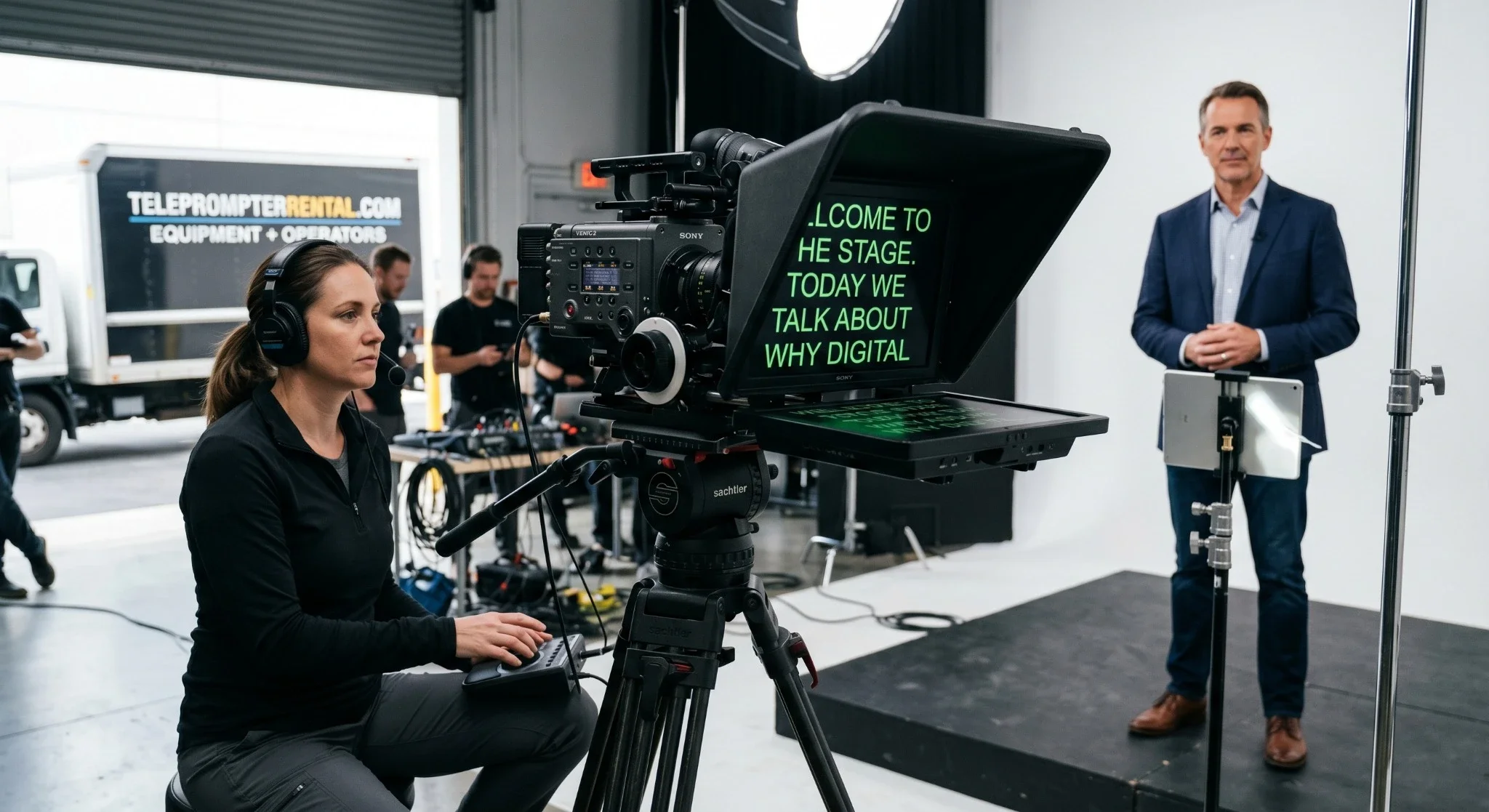
1. The "Shifty-Eye" Effect (Breaking the Illusion)
The entire point of a teleprompter is to make it look like you are speaking directly from the heart, straight into the eyes of your audience. To achieve this, professional setups position a specialized beam-splitter glass directly in front of the camera lens. The text reflects on the glass, but the camera shoots right through it.
When you use a DIY smartphone or tablet setup, the screen is often too small, or the rigging forces the device to sit slightly above, below, or to the side of the actual camera lens. Because the screen is small, your talent's eyes have to dart rapidly from left to right to read the text. To the viewer, it doesn't look like an intimate, direct address—it looks like the presenter is reading a script off a wall. This instantly breaks the trust and connection with your audience.
2. The Daylight and Studio Glare Nightmare
Have you ever tried to read an iPad screen outside on a sunny day? It’s nearly impossible. The same thing happens under professional studio lighting.
Consumer tablets and cheap plastic prompter hoods aren't built to handle the intensity of a 3-point lighting setup or natural outdoor sunlight. The text easily washes out, causing your talent to squint, lean forward, or lose their place entirely. Professional rental prompters utilize high-brightness, daylight-readable monitors (often measuring 1,000 to 2,000 nits) paired with optical-grade glass that minimizes glare while maintaining maximum contrast.
3. Rigging Disasters and Tripod Sag
A professional cinema camera with an upgraded lens, wireless follow-focus, and external monitors is heavy. If you try to attach a cheap, consumer-grade plastic teleprompter frame to the front of that rig, you risk two things: damaging your camera gear or causing your tripod to sag.
Cheap prompter rigs lack the heavy-duty rail systems needed to balance the weight distribution on a tripod. This leads to unstable, shaky footage every time the camera pans, or worse, a mount that snaps mid-shoot. Professional gear uses robust, machined-aluminum sleds and counterweights designed to safely support everything from an independent DSLR to a full-size Hollywood camera package.
4. The Pacing Disconnect (The Stress of Auto-Scroll)
Most basic teleprompter apps rely on a static "auto-scroll" speed. You set it to a certain word-per-minute pace, hit start, and hope for the best.
But humans don't speak like robots. A great presenter naturally pauses for emphasis, takes a breath after a major point, or slows down when delivering complex information. If your talent pauses to take a breath on an auto-scroll app, the text keeps marching right up off the screen. The speaker is instantly forced into a stressful game of "catch up," destroying their natural cadence, confidence, and vocal variety.
5. The Missing Technical Partner
Perhaps the biggest pitfall of the DIY approach isn't the hardware—it's the distraction. On a professional set, the director should be focused on the framing, the lighting, and the talent's performance. The talent should be focused on their delivery.
When you use a DIY app, someone on your crew (or the talent themselves) has to constantly fiddle with the font sizes, formatting errors, script updates, and scroll speed. If a word is misspelled, the shoot grinds to a halt while someone edits text on a tiny tablet screen.
When is it Time to rent the Real Gear?
If you are just practicing or shooting low-stakes internal updates, keep experimenting with your mobile apps. But it is time to call in a professional rental service if your project involves:
Paying Clients: If a client is on set or watching the monitor remotely, a tech glitch on a cheap app makes your production company look amateurish.
High-Profile Talent or Executives: C-suite executives and professional actors have valuable time. Please don't waste their time on technical troubleshooting or bad prompting.
High Volume Shoots: If you are batching 10 to 20 video assets (like a full year of social hooks or an entire masterclass) in a single day, you need a flawless workflow to wrap on time.
Don't Risk Your Production
When the stakes are high, renting a professional teleprompter setup ensures absolute reliability. Better yet, hiring a package that includes a professional equipment setup and a dedicated software operator means your script will seamlessly track your speaker's natural voice in real-time.
Ready to elevate your next video shoot? Explore our range of professional camera-mounted and presidential teleprompter rentals today to find the perfect setup for your production.